

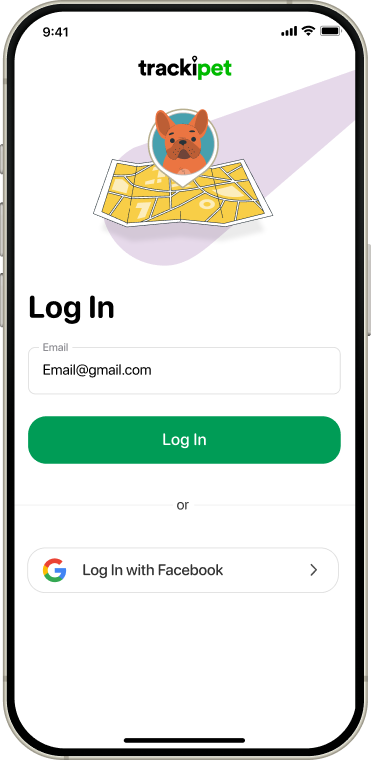
Fill in “Email” field and tap Log in button
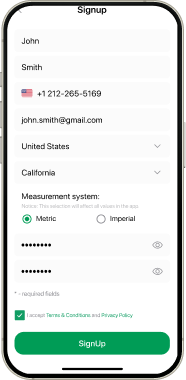
Fill in all required data and tap Sign up button
Choose Google account
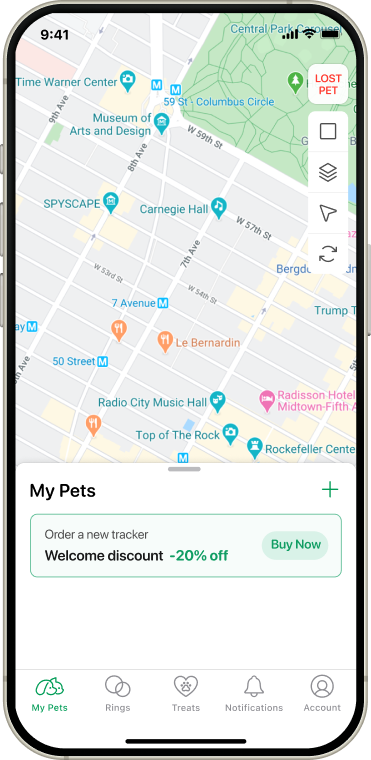
On My Pets screen tap + icon
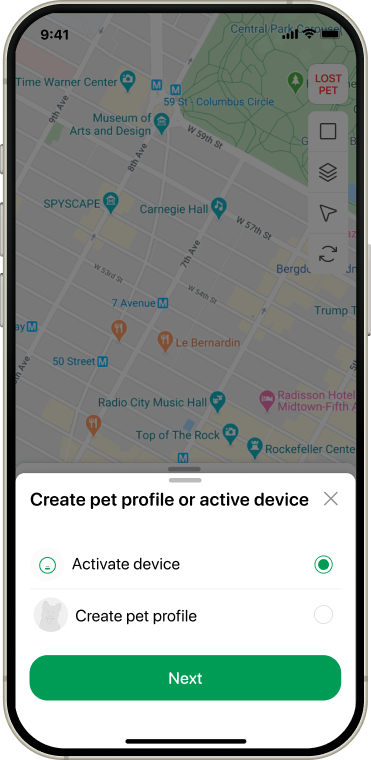
On popup window choose “Activate device” and tap Next button
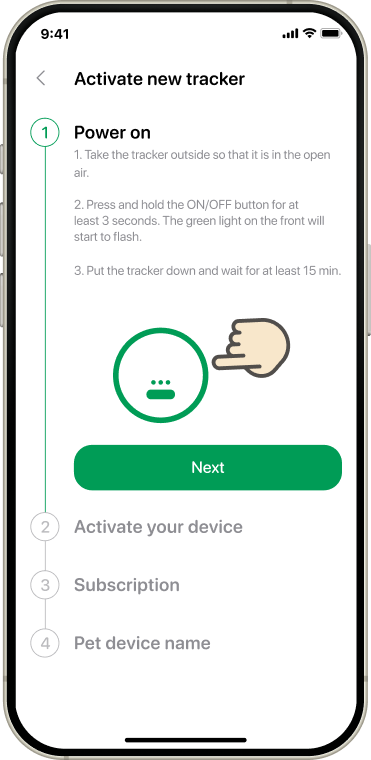
According to the instruction power on your device and tap Next button
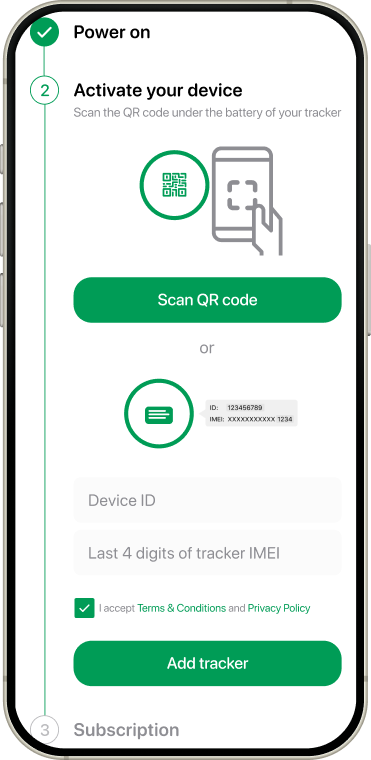
Activate device using QR code or enter the details manually and tap Add tracker button
Tap Subscribe button to choose your subscription
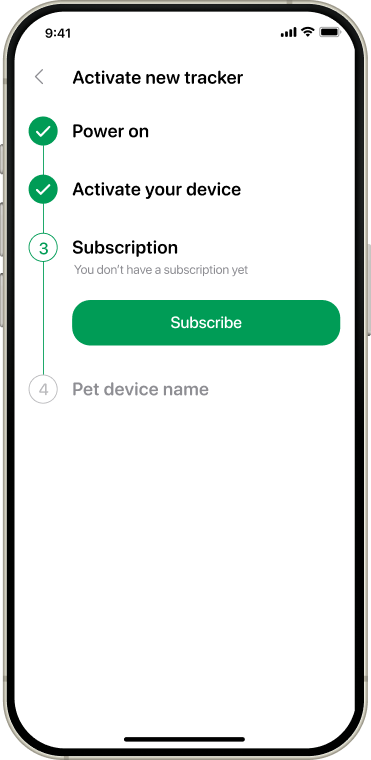
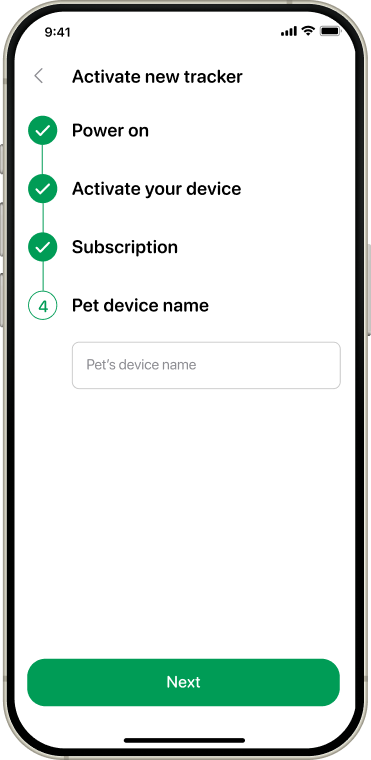
Name your new device and tap Next button
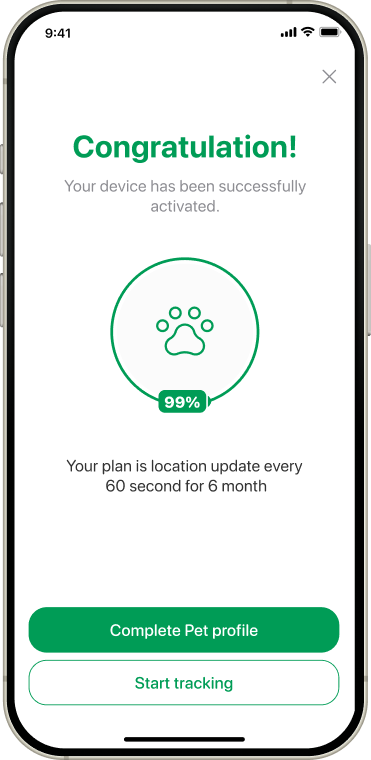
Tap Start tracking and your device is ready!

Fill in “Email” field and tap Log in button
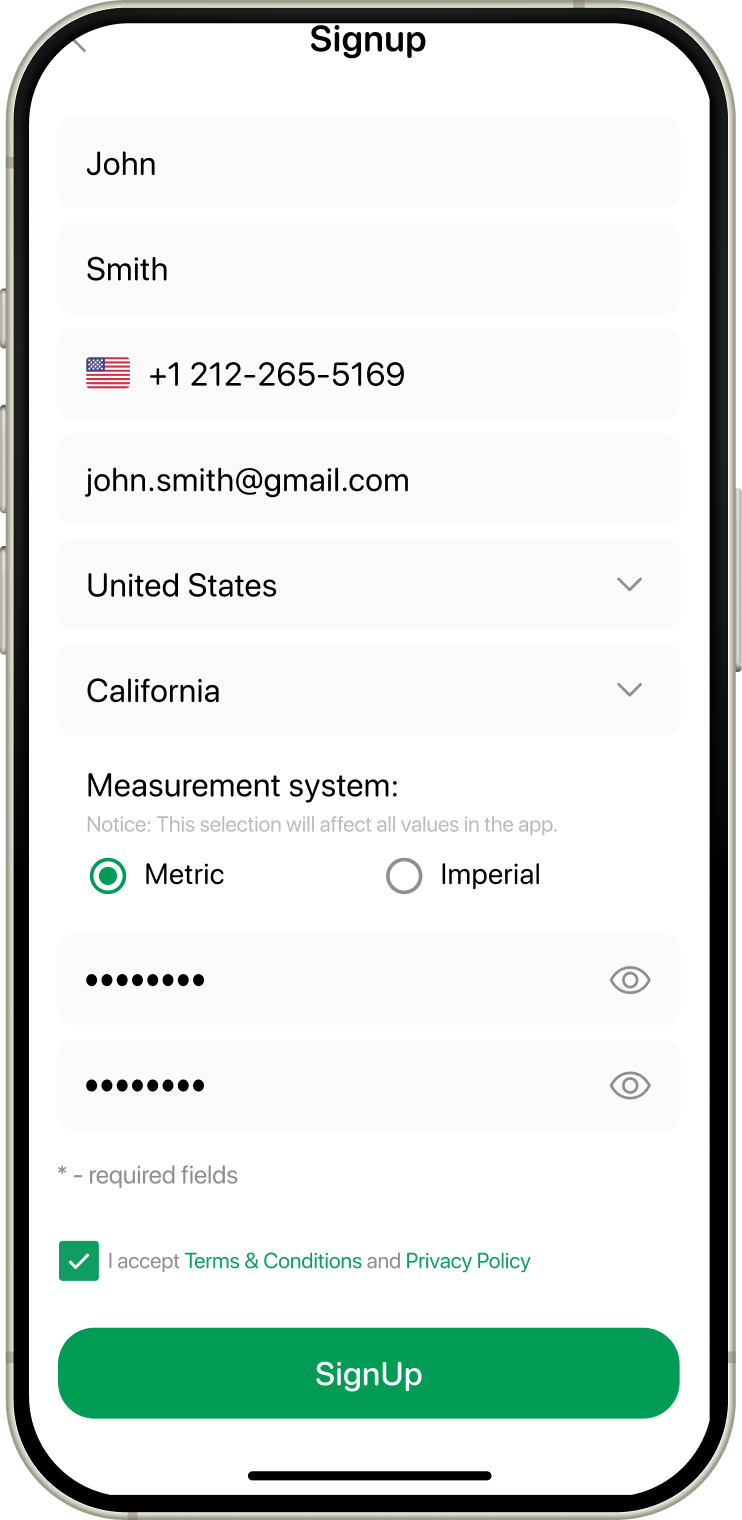
Fill in all required data and tap Sign up button
Choose Google account
On My Pets screen tap + icon
On popup window choose “Activate device” and tap Next button
According to the instruction power on your device and tap Next button
Activate device using QR code or enter the details manually and tap Add tracker button
Tap Subscribe button to choose your subscription
Name your new device and tap Next button
Tap Start tracking and your device is ready!